Displaying Alarm Information
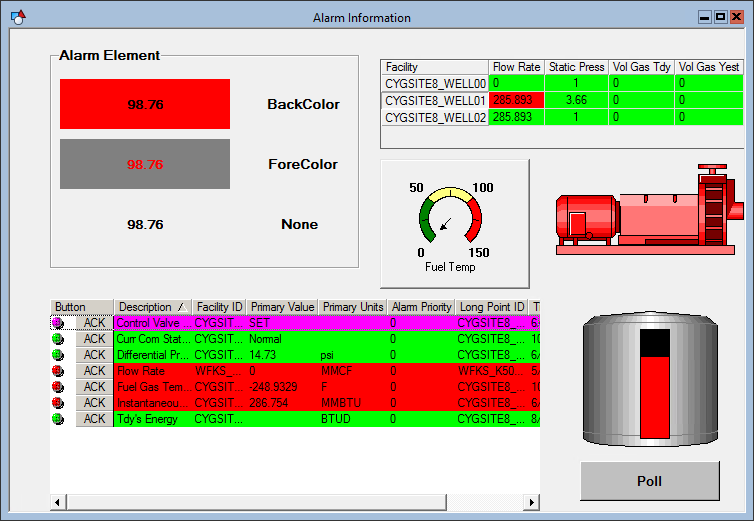
Point alarm information can be displayed and accessed several ways:
- Any object that can be configured to show attributes of a primary point can be configured to show point status information in addition to the point property. For example, a Text Tool object can show a point’s value in its label and reflect the point state in its background.
- Any object that can be configured to show primary point attributes can be right-clicked in Run mode to view the point’s alarm history.
- An alarm interface (CygNet CAS View Control) can be added to TheView.
- The Image Tool and Vector Image Tool can be configured to show different images based on the alarm or point state.
|
| Alarm Display Methods
|

